
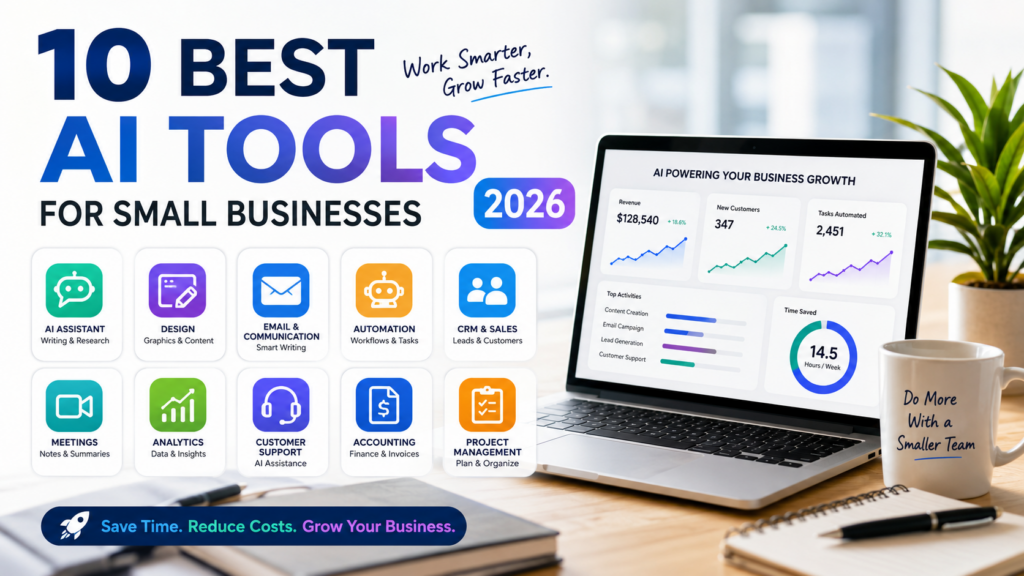
Compare the 10 best AI tools for small businesses in 2026, including ChatGPT, Gemini, Canva, Zapier, HubSpot and QuickBooks, with pricing and use cases.
10 Best AI Tools for Small Businesses in 2026
Small businesses do not need more AI subscriptions.
They need a smaller number of reliable tools that can remove repetitive work, produce better content, organize customer information and help a small team operate like a much larger one.
In 2026, AI tools can write emails, design social media graphics, summarize meetings, qualify sales leads, automate data entry, analyze business documents and identify financial trends. The challenge is no longer finding an AI tool. The challenge is deciding which tools are worth paying for.
This guide compares 10 of the best AI tools for small businesses in 2026, including their main features, current pricing, advantages, limitations and ideal users.
Article updated: August 4, 2026
What Are the Best AI Tools for Small Businesses?
The best AI tools for small businesses are:
-
ChatGPT — best all-around AI assistant
-
Google Gemini — best for Google Workspace users
-
Microsoft 365 Copilot — best for Microsoft Office users
-
Claude — best for long documents and careful writing
-
Canva AI — best for design and marketing content
-
Notion AI — best for project and knowledge management
-
Grammarly — best for professional business communication
-
Zapier — best for workflow automation
-
HubSpot Breeze — best for CRM, sales and customer service
-
QuickBooks with Intuit Intelligence — best for accounting and financial operations
The right choice depends on the problem your business needs to solve. A bakery creating daily social media posts has different needs from a consulting firm managing proposals, meeting notes and client reports.
Best AI Tools for Small Businesses: Quick Comparison
| AI Tool | Best For | Free Option | Starting Paid Price |
|---|---|---|---|
| ChatGPT | General business tasks | Yes | Plus: US$20/month |
| Google Gemini | Google Workspace | Yes | Google AI Pro: US$19.99/month |
| Microsoft 365 Copilot | Word, Excel, Outlook and Teams | Limited options | From US$18/user/month with current annual offer |
| Claude | Long documents and writing | Yes | Pro: US$20/month |
| Canva AI | Design and marketing | Yes | Canva Business: US$20/person/month |
| Notion AI | Projects, notes and company knowledge | Limited trial | Business: US$20/member/month |
| Grammarly | Emails and professional writing | Yes | Pro: US$12/member/month annually |
| Zapier | Business automation | Yes | Paid plans from about US$19.99/month |
| HubSpot Breeze | CRM, marketing and sales | Yes | CRM Starter currently from US$7/seat/month |
| QuickBooks AI | Accounting and cash flow | Trial and promotional options | Simple Start list price: US$38/month |
Prices shown are general United States prices available on August 4, 2026. Promotions, taxes, billing cycles and regional pricing may change the amount displayed at checkout.
How We Selected These AI Tools
The tools in this guide were selected according to five practical criteria:
-
They solve a common small-business problem.
-
They can be used without a dedicated AI department.
-
They offer a free plan, trial or accessible entry-level option.
-
They integrate with software that businesses already use.
-
Their value can be measured through time saved, improved output or reduced manual work.
The list also avoids recommending 10 tools that perform nearly identical tasks. It includes general AI assistants, design platforms, writing tools, automation software, CRM systems and accounting technology.
1. ChatGPT
Best for: General business productivity, writing, research and problem-solving
ChatGPT is the most versatile option on this list. A small business can use it to write marketing content, summarize documents, analyze uploaded files, brainstorm offers, draft customer emails, create images, research competitors and assist with basic coding.
Projects can keep conversations, instructions and files together for a particular company, client or campaign. This is useful when a business needs ChatGPT to follow the same writing style, audience and operating rules across multiple tasks.
ChatGPT can help a small business:
-
Write website pages and blog articles.
-
Create social media captions and advertising ideas.
-
Summarize customer feedback.
-
Analyze spreadsheets and reports.
-
Prepare proposals and presentations.
-
Draft policies, checklists and training materials.
-
Research markets and competitors.
-
Build simple website code or automations.
ChatGPT offers a free plan. ChatGPT Plus costs US$20 per month, while ChatGPT Business is currently US$20 per user per month when billed annually. Business plans add a collaborative workspace and business-focused controls.
ChatGPT advantages
ChatGPT can support many departments without requiring separate tools for every small task. It is especially valuable for a solo business owner who regularly switches between marketing, customer service, planning and administration.
ChatGPT limitations
The quality of the output depends heavily on the instructions and information provided. ChatGPT can also make factual errors, so prices, laws, statistics and important business claims should be verified before use.
Who should choose ChatGPT?
Choose ChatGPT when you need one flexible AI assistant that can help with many different parts of the business.
2. Google Gemini
Best for: Businesses using Gmail, Google Drive and Google Docs
Google Gemini is a strong choice for businesses that already operate inside Google Workspace.
Depending on the account and subscription, Gemini can help draft emails in Gmail, summarize documents, analyze files stored in Google Drive, work inside Google Docs and generate ideas for presentations and videos.
Gemini is particularly useful when information is spread across emails, documents and cloud files. Instead of repeatedly copying information into another platform, users can work more directly within the Google ecosystem.
Common small-business uses include:
-
Summarizing long email conversations.
-
Drafting email replies.
-
Creating proposals in Google Docs.
-
Analyzing reports stored in Google Drive.
-
Researching products and competitors.
-
Producing meeting summaries.
-
Creating images and video concepts.
-
Organizing information with Gemini Notebook.
Gemini has a free plan. Google AI Pro is generally US$19.99 per month and includes expanded access to Gemini, integration in Google apps and 5 TB of cloud storage. Taiwan pricing is currently NT$650 per month.
Gemini advantages
Its greatest advantage is integration. Businesses that already use Gmail, Docs, Drive and other Google services may experience less copying, pasting and switching between apps.
Gemini limitations
Some capabilities vary by country, language, Google account type and subscription. Businesses should also review permissions before allowing AI to access internal email or cloud files.
Who should choose Gemini?
Choose Gemini when Google Workspace is already the center of your business operations.
3. Microsoft 365 Copilot
Best for: Businesses using Word, Excel, Outlook, PowerPoint and Teams
Microsoft 365 Copilot brings AI into the applications many companies already use every day.
It can assist with drafting documents in Word, analyzing data in Excel, creating presentations in PowerPoint, summarizing email conversations in Outlook and reviewing meetings in Microsoft Teams.
Small businesses can use Microsoft 365 Copilot to:
-
Turn meeting notes into a follow-up email.
-
Summarize long email threads.
-
Analyze spreadsheet data.
-
Create presentation outlines.
-
Rewrite proposals and reports.
-
Find information across Microsoft 365.
-
Prepare meeting agendas and action lists.
-
Use business context in AI-powered chat.
Microsoft currently lists Microsoft 365 Copilot Business from US$18 per user per month under an annual promotional offer, with a regular starting price of US$21. An eligible Microsoft 365 Business plan is required. Microsoft also offers bundled plans, including Business Standard with Copilot for US$23.50 per user per month when paid annually.
Microsoft 365 Copilot advantages
Copilot is useful when a team already spends most of the day in Word, Excel, Outlook and Teams. It can improve existing workflows without requiring employees to move their work to a new platform.
Microsoft 365 Copilot limitations
Pricing can become significant when every employee requires a license. It may offer less value to businesses that primarily use Google Workspace or do not depend on Microsoft desktop applications.
Who should choose Microsoft 365 Copilot?
Choose it when your company already uses Microsoft 365 and wants AI connected to its documents, spreadsheets, email and meetings.
4. Claude
Best for: Long documents, careful analysis and natural writing
Claude is an AI assistant from Anthropic that is particularly useful for reading, organizing and rewriting large amounts of text.
It can help with business plans, reports, policy documents, contracts, proposals, interview transcripts and detailed research materials. Many users also choose Claude when they want writing that sounds natural and less formulaic.
Useful small-business tasks include:
-
Reviewing lengthy reports.
-
Comparing multiple documents.
-
Drafting detailed proposals.
-
Rewriting content in a consistent brand voice.
-
Creating operating procedures.
-
Summarizing customer interviews.
-
Explaining complicated information.
-
Assisting with software development.
Claude offers a free plan. Claude Pro costs US$20 per month or US$200 per year. Higher Max plans are available for users who need substantially more capacity.
Claude advantages
Claude is a strong option for text-heavy businesses, including consulting firms, agencies, researchers, publishers and professional service companies.
Claude limitations
Businesses that need built-in CRM, accounting, design or office-software features will still need additional platforms.
Who should choose Claude?
Choose Claude when a large part of your work involves reading, reasoning through and producing long-form written material.
5. Canva AI
Best for: Social media, presentations, advertisements and brand design
Canva AI is one of the most accessible creative platforms for small businesses without a full-time designer.
Its AI tools can help generate layouts, text, images, presentations, videos and marketing concepts. Businesses can use templates and Brand Kits to maintain more consistent fonts, colors and visual styles.
Canva AI is useful for creating:
-
Instagram and Facebook posts.
-
Digital advertisements.
-
Product announcements.
-
Restaurant menus.
-
Flyers and posters.
-
Sales presentations.
-
Short promotional videos.
-
Website graphics.
-
Business plans and reports.
-
Product photo backgrounds.
Canva provides limited AI access on its free plan. Canva Business costs US$20 per person per month and is available to solo users as well as small teams, with no minimum number of seats.
Canva AI advantages
Canva combines writing, design, image generation, video and brand management in one platform. This can reduce the number of separate creative subscriptions required by a small business.
Canva AI limitations
AI-generated designs can look generic when businesses rely too heavily on default templates. Every design should be adjusted to match the company’s real brand identity.
Who should choose Canva AI?
Choose Canva AI when your business needs a steady supply of marketing graphics but does not have a dedicated design team.
6. Notion AI
Best for: Project management, company knowledge and meeting notes
Notion combines documents, project tracking, internal wikis and AI inside one workspace.
A small company can use it to organize projects, document standard operating procedures, store brand information, manage editorial calendars and create an internal knowledge base.
Notion AI includes tools such as Notion Agent, AI Meeting Notes, Enterprise Search and research features. Custom Agents can also handle repeated tasks using information stored in the workspace and connected services.
Common uses include:
-
Recording and summarizing meetings.
-
Creating project plans.
-
Finding answers in company documents.
-
Writing weekly status reports.
-
Maintaining a content calendar.
-
Organizing customer research.
-
Creating employee onboarding pages.
-
Turning notes into action items.
-
Automating repeated workspace tasks.
Notion’s Business plan costs US$20 per member per month and includes its core AI features. Custom Agents use a separate credit system, currently priced from US$10 per 1,000 credits after trial access.
Notion AI advantages
Notion can replace several separate tools for notes, project tracking, internal documentation and meeting summaries.
Notion AI limitations
A poorly organized workspace can become difficult to search and maintain. Businesses should create simple naming rules and templates before moving everything into Notion.
Who should choose Notion AI?
Choose Notion when your main problem is scattered information, inconsistent processes or projects spread across too many documents.
7. Grammarly
Best for: Emails, proposals and professional business communication
Grammarly is designed to improve writing wherever employees communicate.
It can correct grammar, improve tone, rewrite sentences, adapt messages for different audiences and help a company maintain a consistent brand voice.
Grammarly is useful for:
-
Customer service replies.
-
Sales outreach emails.
-
Proposals and reports.
-
Website copy.
-
Internal messages.
-
Job descriptions.
-
Social media captions.
-
Executive summaries.
-
Brand-aligned writing.
The free plan includes writing corrections, tone information and up to 100 AI prompts. Grammarly Pro costs US$12 per member per month when billed annually or US$30 when billed monthly. The Pro plan includes full-sentence rewrites, tone adjustments, brand features and up to 2,000 AI prompts.
Grammarly advantages
Grammarly works across many websites and applications, allowing employees to improve writing without opening a separate AI conversation every time.
Grammarly limitations
It is primarily a communication tool. It does not replace a full project management, research, design or automation platform.
Who should choose Grammarly?
Choose Grammarly when employees write a large number of customer emails, proposals and public-facing messages.
8. Zapier
Best for: Automating repetitive work between business apps
Zapier connects business applications and automatically moves information between them.
For example, a business can create a workflow that collects a website inquiry, adds the customer to a CRM, sends an acknowledgment email, creates a follow-up task and alerts the sales team.
Zapier currently supports more than 9,000 app connections and includes AI workflows, agents, chatbots, forms, tables and developer tools.
Small-business automation examples include:
-
Sending website leads to a CRM.
-
Creating invoices from completed orders.
-
Saving email attachments to cloud storage.
-
Adding customers to email campaigns.
-
Summarizing support messages with AI.
-
Turning meeting transcripts into tasks.
-
Sending reminders for unpaid invoices.
-
Publishing approved content across platforms.
-
Routing customer questions to the correct employee.
Zapier’s free plan includes 100 tasks per month and two-step workflows. Paid pricing depends on the number of tasks and features required, with entry-level paid plans generally beginning around US$19.99 per month. AI actions, code and SDK usage now follow Zapier’s task-based pricing system.
Zapier advantages
Zapier can save time every day by removing repeated copying, downloading, uploading and data entry between apps.
Zapier limitations
Automation costs can increase as task volume grows. A complicated workflow can also create problems if no one checks whether it is still running correctly.
Who should choose Zapier?
Choose Zapier when employees repeatedly move the same information between email, forms, spreadsheets, CRM systems and other applications.
9. HubSpot Breeze
Best for: Customer relationship management, marketing, sales and support
HubSpot combines CRM, marketing, sales, content and customer service tools.
Its AI features include Breeze Assistant and Agent Hub, previously associated with the Breeze Agents name. These tools can use CRM information to help create content, research prospects, respond to customers and answer questions about business data.
Breeze Assistant is included with HubSpot subscriptions at no additional cost, although some advanced features require additional subscriptions or credits.
HubSpot can help a small business:
-
Store customer and lead information.
-
Draft sales and marketing content.
-
Research potential customers.
-
Summarize CRM records.
-
Respond to common support questions.
-
Create personalized outreach.
-
Track deals and follow-ups.
-
Analyze marketing and sales activity.
-
Build custom AI agents using CRM data.
HubSpot offers free CRM tools for up to two users. Starter pricing is currently advertised from US$7 per seat per month for eligible new customers, compared with a regular listed price of US$20 per seat per month.
Some HubSpot agents use outcome-based pricing. The Customer Agent is currently priced at US$0.50 per resolved conversation, the Prospecting Agent at US$1 per recommended lead and the Data Agent at US$0.10 per answer.
HubSpot Breeze advantages
HubSpot’s AI works with customer and sales data already stored in the CRM. This makes it more useful for customer-facing workflows than a general AI chatbot with no access to the sales pipeline.
HubSpot Breeze limitations
HubSpot can become expensive as a business adds users, contacts, advanced hubs and AI credits. Companies should calculate the full cost before moving all operations into the platform.
Who should choose HubSpot Breeze?
Choose HubSpot when attracting leads, managing customer relationships and following up with sales opportunities are the main priorities.
10. QuickBooks with Intuit Intelligence
Best for: Bookkeeping, invoices, expenses and financial operations
QuickBooks is primarily accounting software, but Intuit has expanded it with AI-assisted financial features.
Depending on the plan and availability, QuickBooks can organize expenses, assist with reconciliation, identify deductions, provide tailored financial insights, support cash-flow forecasting and help users ask questions about their business finances.
Small businesses can use QuickBooks AI features to:
-
Categorize income and expenses.
-
Prepare and send invoices.
-
Track unpaid payments.
-
Reconcile transactions.
-
Review cash-flow trends.
-
Find possible financial anomalies.
-
Forecast income and expenses.
-
Prepare information for an accountant.
-
Automate parts of bookkeeping and project management.
The current United States list price for QuickBooks Online Simple Start is US$38 per month, although promotional pricing may be offered to new customers. The current pricing page lists 25 Intuit Intelligence chat prompts per month on eligible plans.
An optional US$10 monthly add-on provides another 100 Intuit Intelligence chat prompts. Intuit states that this does not provide unlimited use.
QuickBooks advantages
QuickBooks applies AI directly to bookkeeping, invoices, payments and financial records instead of operating as a separate general-purpose chatbot.
QuickBooks limitations
AI financial suggestions should not replace an accountant, bookkeeper or tax professional. Features and plans also vary substantially by country.
Who should choose QuickBooks AI?
Choose QuickBooks when financial administration is taking too much time and the business already uses, or plans to use, QuickBooks for accounting.
Which AI Tool Is Best for Your Small Business?
Best all-around AI tool
Choose ChatGPT when you need help with many different tasks and want to begin with one flexible subscription.
Best for Google Workspace
Choose Gemini when your company works primarily in Gmail, Google Docs and Google Drive.
Best for Microsoft Office
Choose Microsoft 365 Copilot when your team depends on Word, Excel, Outlook, PowerPoint and Teams.
Best for design and social media
Choose Canva AI when creating graphics, advertisements, presentations and marketing materials is a regular part of the business.
Best for long reports and documents
Choose Claude when you frequently work with detailed proposals, research, interviews or long-form written content.
Best for company organization
Choose Notion AI when your team needs one place for projects, notes, policies, meeting records and internal knowledge.
Best for writing quality
Choose Grammarly when professional emails and written communication directly affect customer trust.
Best for automation
Choose Zapier when employees repeatedly transfer information between the same applications.
Best for CRM and sales
Choose HubSpot Breeze when the business needs to manage leads, customers, sales activity and support conversations.
Best for accounting
Choose QuickBooks with Intuit Intelligence when bookkeeping, invoicing and financial visibility are the biggest problems.
Best AI Tool Combinations for Small Businesses
Most small businesses do not need all 10 tools. A focused combination of two or three tools is usually more cost-effective.
Solo service business
Recommended combination:
ChatGPT for writing and planning.
Canva AI for graphics and presentations.
Grammarly for final communication checks.
Online store or product brand
Recommended combination:
Canva AI for product and social content.
HubSpot for customers and campaigns.
Zapier for orders, forms and follow-up workflows.
Consultant or professional service firm
Recommended combination:
ChatGPT or Claude for reports and proposals.
Notion for projects and company knowledge.
Grammarly for client communication.
Google Workspace business
Recommended combination:
Gemini for Gmail, Docs and Drive.
Canva AI for marketing.
Zapier for cross-app automation.
Microsoft-based company
Recommended combination:
Microsoft 365 Copilot for daily office work.
HubSpot for leads and sales.
Canva AI for external marketing content.
Financially complex small business
Recommended combination:
QuickBooks for accounting and financial operations.
ChatGPT or Claude for non-confidential planning and explanations.
Zapier for approved accounting and administrative workflows.
How Much Should a Small Business Spend on AI Tools?
A small business should not build its AI budget around the number of available tools. It should build the budget around measurable results.
A practical starting budget might include one general AI assistant and one specialized tool.
For example:
ChatGPT Plus and Canva Business would cost about US$40 per month for one user.
ChatGPT Plus, Grammarly Pro on annual billing and an entry-level Zapier plan would cost roughly US$52 per month before taxes and usage-based charges.
A more complete sales system using HubSpot, Zapier and Canva may cost more, especially as the number of employees, customers and automated tasks increases.
Before subscribing, estimate:
-
How many hours the tool can save each month.
-
Which employee or owner will use it.
-
Whether another subscription already performs the same task.
-
Whether the tool will increase sales or reduce operating costs.
-
How usage-based charges might change as the business grows.
How to Introduce AI Into a Small Business
Start with one bottleneck
Do not begin by asking, “Where can we use AI?”
Instead ask, “Which repeated task wastes the most time every week?”
The answer might be replying to inquiries, producing social posts, preparing meeting notes or entering customer data.
Test the free version
Use the free plan with real work before purchasing a yearly subscription.
Create a repeatable process
Save effective prompts, templates, brand information and review checklists so employees do not have to start from zero.
Keep human approval
AI should draft, organize and suggest. An employee should still review customer messages, financial information, legal language and public claims.
Measure the result
Track time saved, response time, sales conversion, content output or another relevant business metric.
Remove overlapping subscriptions
If two tools perform the same job, keep the one that fits the existing workflow more naturally.
Are AI Tools Safe for Small Businesses?
AI tools can be useful, but businesses should not upload information without considering privacy and security.
Before using an AI tool with company data, check:
-
Whether business content is used for model training.
-
Whether administrators can control employee access.
-
Whether data is encrypted.
-
Whether the platform supports the company’s compliance requirements.
-
Whether information can be deleted or exported.
-
Which connected apps and files the AI can access.
-
Whether employees understand what information is confidential.
Avoid uploading customer identification documents, medical records, payment details, passwords, private employee data, trade secrets or confidential contracts to a general AI account unless the business has confirmed that the use is permitted.
Common Mistakes Small Businesses Make With AI
Buying too many tools
Several subscriptions may provide nearly identical writing or research features.
Automating a broken process
Automation makes a process faster, but it does not automatically make the process better.
Publishing without review
AI can invent details, misread sources or use outdated information.
Ignoring brand voice
Unedited AI content can make every company sound the same.
Forgetting the customer experience
Customers should not be trapped in an automated system when they need a real person.
Uploading confidential data
Convenience should not override privacy, contracts or company security policies.
Frequently Asked Questions
What is the best AI tool for a small business?
ChatGPT is the strongest general starting point for many small businesses because it can support writing, planning, research, file analysis and creative tasks. A specialized tool may be better when the main need is accounting, design, CRM or automation.
What are the best free AI tools for small businesses?
ChatGPT, Gemini, Claude, Canva, Grammarly, Zapier and HubSpot all provide free access or free foundational tools. Free plans normally have lower usage limits and fewer business controls.
Which AI tool is best for marketing?
Canva AI is best for visual marketing, while ChatGPT and Claude are useful for content strategy and writing. HubSpot is more suitable for campaigns, customer data and lead management.
Which AI tool is best for social media?
Canva AI is a strong option for graphics, templates and short videos. ChatGPT can help with captions, content calendars and campaign ideas.
Which AI tool is best for customer service?
HubSpot’s Customer Agent is designed for customer conversations connected to CRM information. Businesses with simpler needs can also use ChatGPT or Gemini to draft response templates.
Which AI tool is best for accounting?
QuickBooks with Intuit Intelligence is the most directly focused on bookkeeping, invoices and financial operations. AI-generated financial information should still be reviewed by a qualified professional.
Is ChatGPT or Gemini better for small businesses?
ChatGPT is generally better for flexible cross-platform work, while Gemini is particularly convenient for businesses centered on Gmail, Google Docs and Google Drive.
For a detailed comparison, add an internal link to the Gliserland guide: ChatGPT vs Gemini 2026|Features, Pricing and Best Users.
Can AI replace small-business employees?
AI can reduce repetitive work and help employees produce more, but it cannot reliably replace human judgment, accountability, customer relationships or professional expertise.
How many AI tools does a small business need?
Most small businesses should begin with one general AI assistant and one specialized tool. Additional subscriptions should only be added when they solve a clearly different problem.
Are paid AI tools worth it?
A paid AI tool can be worthwhile when the monthly value of the time saved or revenue created is higher than the subscription cost.
Final Verdict
The best AI tools for small businesses are not necessarily the platforms with the longest feature lists.
They are the tools that fit naturally into the software a company already uses and remove work that employees currently repeat every day.
ChatGPT is the best general-purpose starting point.
Gemini and Microsoft 365 Copilot are strongest when a company is already committed to their respective office ecosystems.
Canva AI helps small teams produce professional marketing materials.
Notion AI organizes projects and internal knowledge.
Grammarly improves everyday communication.
Zapier connects workflows.
HubSpot Breeze supports customers and sales.
QuickBooks applies AI to financial administration.
Start with one expensive problem, test one or two tools and measure the result. A small, well-designed AI system will usually create more value than a large collection of disconnected subscriptions.
Sources
Pricing and feature information was checked using official materials from OpenAI, Google Gemini, Microsoft, Anthropic, Canva, Notion, Grammarly, Zapier, HubSpot and Intuit QuickBooks.
Disclaimer
AI features, product names, usage limits and subscription prices may change according to country, billing cycle, taxes, promotions, account type and product updates. Always confirm current details on the provider’s official pricing page before purchasing.
AI-generated writing, summaries, calculations, recommendations and business information may contain errors or omissions. Review important content before publishing, sending it to customers or using it to make financial, employment, legal or operational decisions.
This article is provided for general informational purposes and does not constitute legal, accounting, tax, financial, cybersecurity or professional business advice. Businesses should also obtain the necessary consent and follow applicable privacy laws, contracts and internal policies before uploading customer, employee or confidential company information to an AI platform.